
Last updated November 15, 2026
 Wrought iron
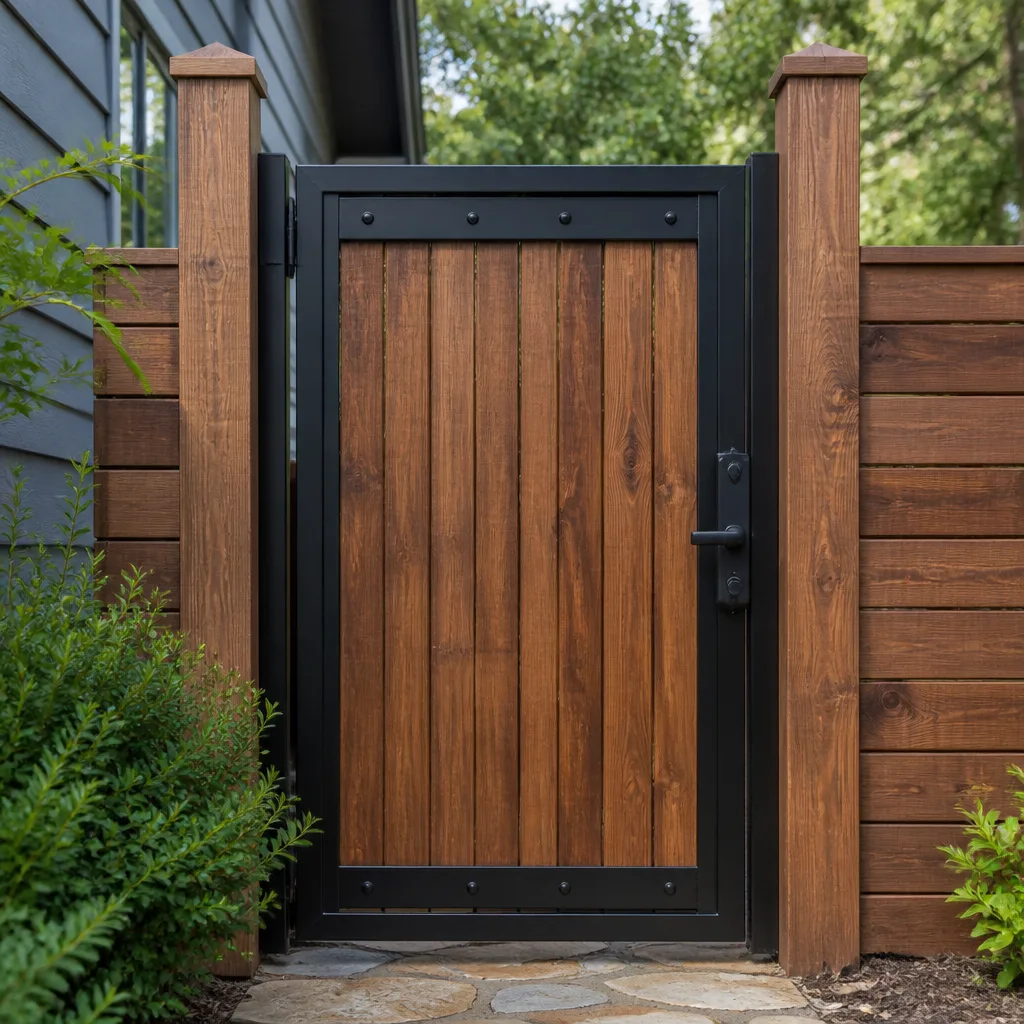 Wood & steel frame
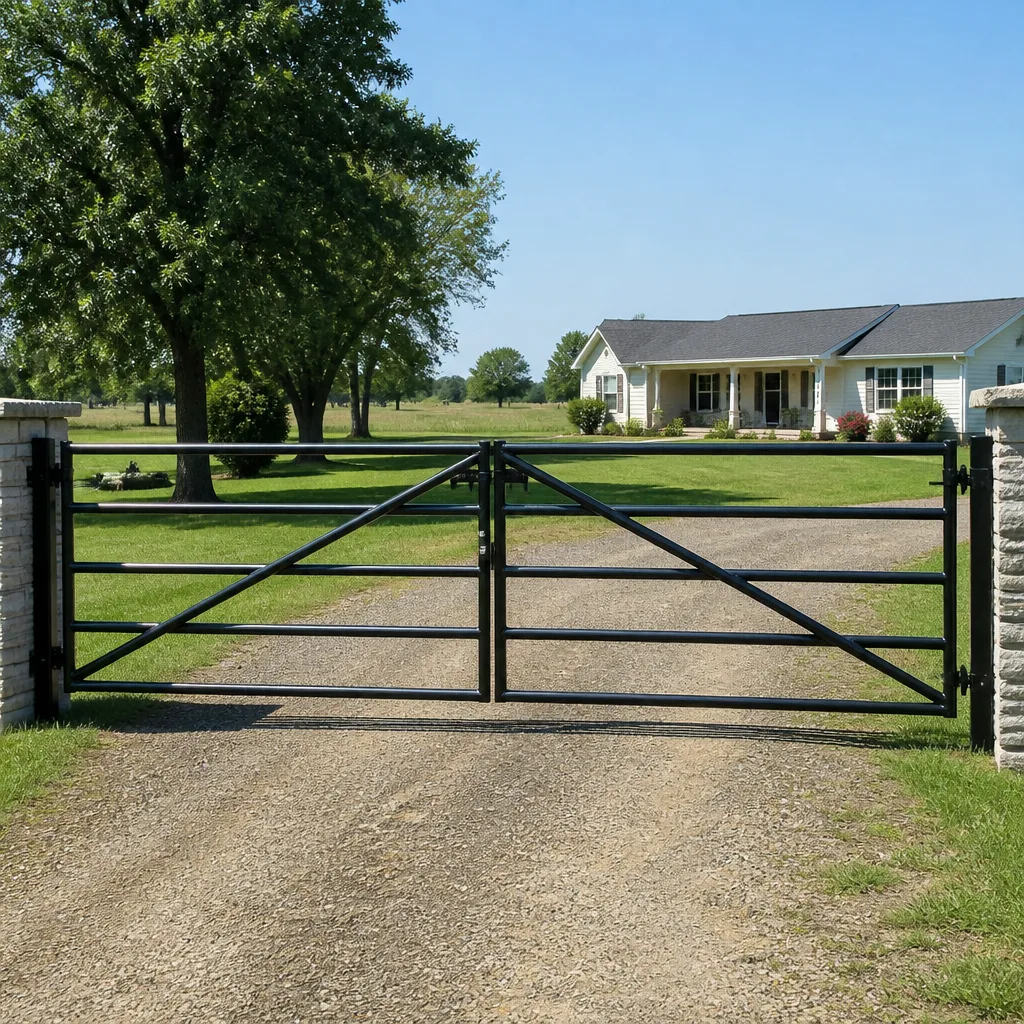 Farm & ranch
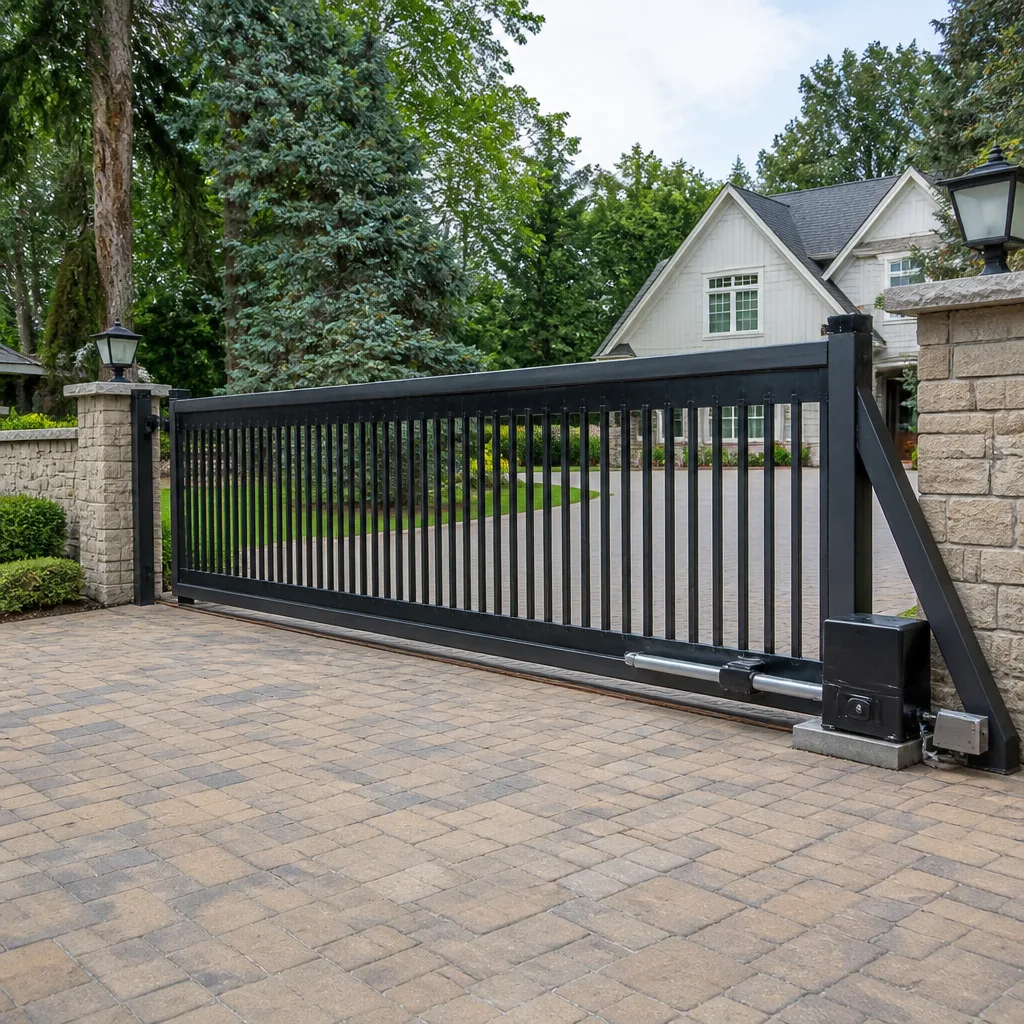 Sliding driveway gates
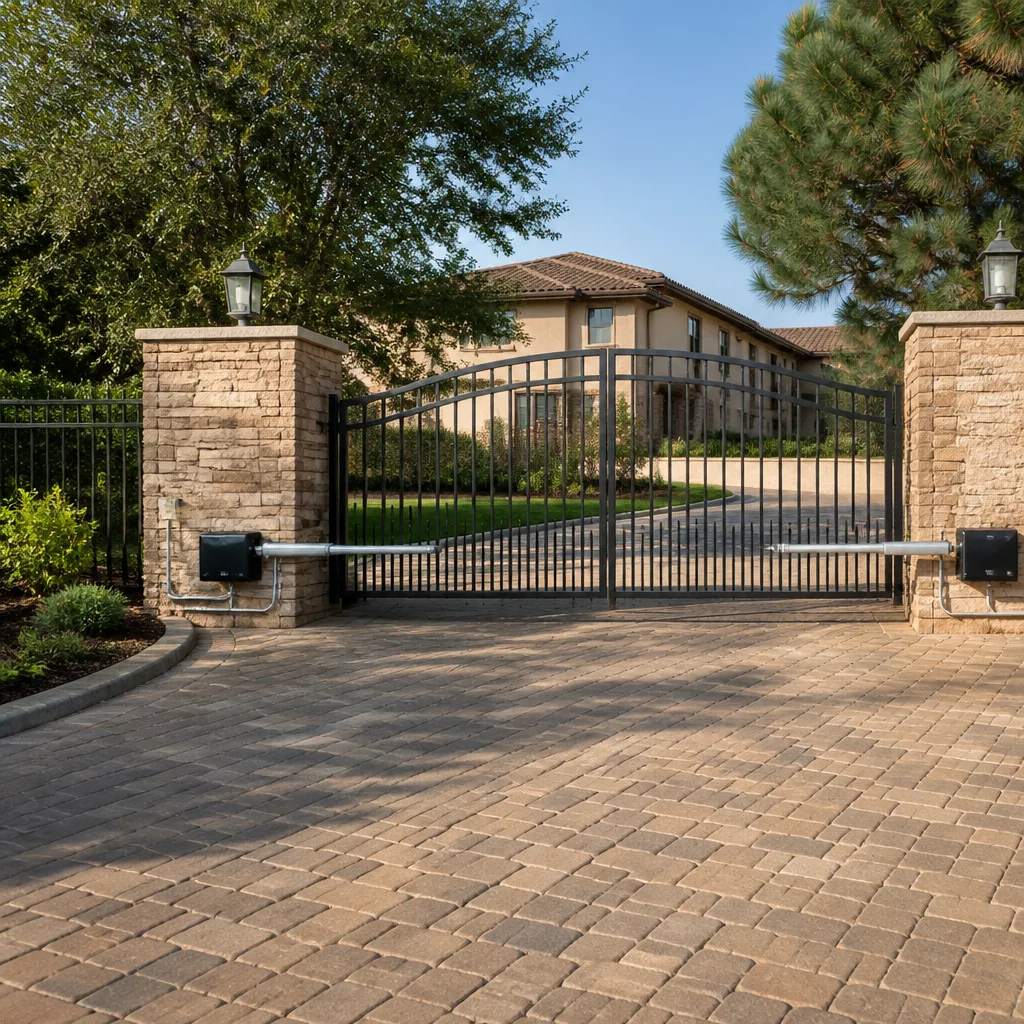 LiftMaster operators
Free on-site gate assessment - hinges, posts, and your LiftMaster or Nice gate operator checked before anything is quoted
The assessment is free and the quote is the invoice.
Get your free estimateGate Repair Warning Signs: A Vacaville Homeowner’s Reference Guide
A gate that hesitates for two seconds before it moves isn’t “just slow.” That pause is an operator drawing excess current to push through mechanical resistance, and it has a predictable endpoint: one morning the gate won’t move at all. Most homeowners in Vacaville read that hesitation, the faint grinding, or the occasional unexplained reversal as harmless quirks. They’re not quirks. They’re the system telling you exactly which component is wearing out and how long you have before it fails. This guide decodes those signals by what they mean mechanically, separates the warning signs that need same-day attention from the ones that can wait for a scheduled appointment, and shows you how to document symptoms so a technician diagnoses the problem correctly the first time.
Quick Answer
Gate repair warning signs in Vacaville fall into three groups: mechanical (grinding, sagging, dragging, hesitation), electrical (unexplained reversing, dead remotes, tripping breakers, failure in heat), and programming (stuck limits, phantom opening, error codes on the display). Mechanical and electrical symptoms usually worsen over days or weeks and can be scheduled; a gate that reverses on contact, drops on its own, or sparks at the operator box needs same-day attention because it involves a crush or shock hazard. Reading your operator’s error code before you call shortens diagnosis and gets you back up and running faster.
Styles & brands we work with
- Wrought iron
- Wood & steel frame
- Farm & ranch
- Sliding driveway gates
- LiftMaster operators
Table of Contents
- Symptom-to-Cause: What Each Warning Sign Actually Means
- Mechanical, Electrical, or Programming? How to Tell the Difference
- Danger Signs That Need Same-Day Attention vs. Signs That Can Wait
- How to Read Operator Error Codes on LiftMaster, FAAC, DoorKing, and Viking Systems
- Why Gates Fail in Vacaville’s Summer Heat
- How to Document Symptoms Before a Technician Arrives
- Brand-Specific Warning Signs: What to Watch For
- Repair or Replace? Reading the Warning Signs in Context
Symptom-to-Cause: What Each Warning Sign Actually Means
Every observable gate behavior maps to a specific mechanical or electrical condition. Learning that map is the difference between calling a technician when a small repair is still cheap and calling when a motor has burned out or a gate has come off its track. Here’s how we read the most common symptoms.
- Hesitation before moving. The operator is drawing extra current to overcome resistance. Common causes: worn rollers, a track with debris, a sagging hinge, or a binding chain. The current spike stresses the control board and the motor every cycle.
- Reversing unexpectedly mid-travel. The safety system is triggering. On a slide gate this is often a photo-eye knocked out of alignment or a safety edge with a damaged wire. On a swing gate it can be a misread limit or an obstruction sensor reading a phantom object.
- Grinding or squealing. Metal-on-metal contact. Worn rollers, a dry or stretched chain, a failing gear in the operator, or a hinge pin that’s wallowed out. Grinding that grows louder over a few weeks points to a mechanical failure in progress.
- Gate moves slower than it used to. Rising mechanical friction, a weakening motor, or a battery backup fading. Speed loss is one of the earliest warning signs and one of the most ignored.
- Operator runs but the gate doesn’t move. A broken chain, a sheared drive gear, a decoupled arm, or a slipping clutch. The motor is fine; the mechanical link between it and the gate has failed.
- Tripping the breaker or blowing a fuse. Electrical fault in the operator, the wiring run, or the transformer. This is a same-day call.
- Remote works only up close. A weakening receiver, a damaged antenna, a failing battery in the remote, or interference. Programming or hardware, rarely the gate itself.
- Failure only in hot weather. A control board or motor overheating. Vacaville summers push operators into thermal cutoff, and a marginal component will fail first on the hottest afternoons.
Notice how many different failures start with the same visible symptom. That’s why replacing parts by guesswork costs more than diagnosing first. When we look at a gate in Vacaville, the symptom is the starting point, not the answer.
Mechanical, Electrical, or Programming? How to Tell the Difference
Knowing which of the three categories your warning sign belongs to tells you how urgent the call is and what kind of expertise the job needs. A mechanical problem is a physical wear or alignment issue. An electrical problem is a fault in power, wiring, motor, board, battery, or sensor circuit. A programming problem is a setting, limit, or logic issue in the operator’s controller. Here’s how to sort symptoms into the right bucket before you pick up the phone.
- Listen first. Grinding, squealing, popping, and rattling are mechanical. Silence where there should be motor hum is electrical. A clean motor sound with no gate movement is mechanical (the link between motor and gate).
- Check the power path. If the operator is dead, test the breaker, the outlet, and the transformer. If the operator has power but nothing responds, the fault is in the board or the control wiring.
- Watch the safety system. If the gate reverses when you walk through the beam, the safety circuit is working correctly. If it reverses when nothing is there, the safety circuit is misaligned or damaged.
- Look at the display. Any operator with an LCD or LED code display is telling you which category the fault belongs to. A code pointing to a limit is programming. A code pointing to an obstacle input is electrical or safety-circuit. A code pointing to motor current is mechanical or motor.
- Test the remotes and keypad separately. If one works and the other doesn’t, the fault is in the access device or its programming, not the gate. If neither works, the fault is in the receiver or the operator.
This categorization matters because it changes who can help. A general handyman can sometimes adjust a sagging hinge, but a control board fault or a limit problem on a LiftMaster or FAAC operator needs someone who works on that platform. This is why we handle electric gate repair as a core competency rather than a side job, and why the diagnostic step comes before any recommendation.
Danger Signs That Need Same-Day Attention vs. Signs That Can Wait
Some warnings are about inconvenience; others are about safety. The distinction is simple: if the failure mode could crush, cut, shock, or drop something heavy, it’s a same-day call. If it only affects convenience, it can be scheduled. Use this split to decide when to pick up the phone immediately and when to book a normal appointment.
Same-day attention (call now)
- Gate reverses on contact with a person, vehicle, or pet instead of stopping cleanly – the safety edge is compromised.
- Photo-eye or safety beam missing, cracked, or visibly damaged – the gate can close on a person.
- Gate drops, sags suddenly, or comes off its track or rollers – a heavy panel is now unsupported.
- Sparks, burning smell, or visible scorching at the operator box or any wiring – electrical hazard.
- Breaker trips every time the operator runs – the fault is active and can start a fire.
- Operator is loose from its mounting pad or post – the drive can fail catastrophically under load.
Schedule soon (no immediate safety risk)
- Grinding or squealing that’s growing louder but the gate still moves normally.
- Slow travel speed or hesitation before moving.
- One remote no longer works.
- Occasional reversing with nothing in the path (still worth checking within days because it can progress).
- Error code on the display with the gate not moving.
- Cosmetic damage to the gate panel that doesn’t affect travel.
In our experience, the “schedule soon” list is where homeowners in Vacaville lose the most money. A grinding roller set that gets adjusted this week costs far less than a motor that has spent a month pushing against the friction. This is why the gate repair conversation should start at the first symptom, not the first total failure.
Safety note: A gate operator combines line voltage, a moving motor, and a heavy panel, and some repairs involve wiring and high current. Do not open the operator housing, disconnect the safety devices, or work on the wiring yourself; that work needs a trained technician. Your job as the homeowner is to observe, document, and call.
How to Read Operator Error Codes on LiftMaster, FAAC, DoorKing, and Viking Systems
Modern operators with digital displays are doing half the diagnosis for you, and most homeowners never read the code. On a LiftMaster, FAAC, DoorKing, or Viking system, an error code narrows the fault to a system component before anyone touches the gate. Reading it and writing it down is the single most useful thing you can do before you call.
What the code generally tells you
- Obstruction or safety codes. The operator thinks something is in the path. On a LiftMaster this is often a photo-eye, edge, or loop input. On a DoorKing commercial operator it’s frequently a loop detector or reversing edge input. Check that nothing is blocking the beam and that the beam housings are clean before you call – if the code clears, the issue is intermittent and still worth reporting.
- Limit codes. The controller can’t find its open or closed position. On a FAAC swing operator this often appears after a power blip that reset the limits, and the fix is a limit re-teach, not a replacement.
- Motor current or overload codes. The operator is drawing too much current – mechanical resistance or a failing motor. This is the code that matches the hesitation symptom.
- Battery or power codes. Backup battery low, transformer fault, or supply voltage out of range.
- Loop or access codes. The vehicle detector or keypad input isn’t reporting correctly.
How to record the code
- Note the exact code as displayed, not a paraphrase.
- Note the state of the gate when the code appeared – fully open, fully closed, mid-travel, or stopped.
- Note whether the code clears when you cycle power at the breaker (record both states; an intermittent code is still information).
- Note the brand and any model text on the operator label.
- Note whether the gate responded at all after the code appeared.
An exact code plus a brand saves a full diagnostic step. We work with the operator you already have rather than pushing a replacement, so the code is often the fastest path to the right part. If your operator has a display and you’re not sure what it’s telling you, that’s exactly the information a free estimate call is designed to capture.
Why Gates Fail in Vacaville’s Summer Heat
Vacaville summers push operator cabinets into thermal stress that shows up nowhere else in the year. An operator that runs cool in spring can hit thermal cutoff on a hot afternoon, and a component already at the edge of spec will fail first when the cabinet is at its hottest. This is why so many “sudden” gate failures in Vacaville show up right when the heat settles in, and why the hesitation symptom becomes more pronounced in July and August.
- Control board overheating. The board in a sealed cabinet runs hotter than ambient. A board with a marginal component will fault on the hottest runs and clear after the unit cools.
- Motor current rise. Motors draw more current at high temperature, which combines with existing mechanical friction and pushes an overload code faster.
- Battery backup fade. Heat ages backup batteries faster, and a battery that’s already weak will drop the gate during a power interruption.
- Expansion and binding. Metal tracks, rollers, and frames expand in heat. A gate that’s already marginal will start binding on a hot afternoon and free up in the evening.
- Dust and pollen on photo-eyes. The dry valley season leaves a film on the beam housings – clean them and see if the fault clears.
This is a climate-pattern observation, not a forecast of a specific failure. If your gate fails reliably in the afternoon heat and works in the morning, the symptom is telling you the operator is running hot. That’s worth scheduling before the next heat wave, and it’s often a repair rather than a replacement. The same box that runs cool in the hills around Vacaville can struggle in a sun-exposed driveway, and the fix is usually airflow, a component, or a setting – not a new gate.
How to Document Symptoms Before a Technician Arrives
Accurate documentation is the difference between a first-visit repair and a second trip. The goal is to capture the gate’s exact behavior, its conditions, and any operator output so the technician arrives with a working hypothesis instead of starting from scratch. Here’s what we ask for when you call.
- The behavior in plain language. “The gate opens about two feet and reverses” is useful. “It’s broken” is not.
- When it happens. Every time, only in heat, only in cold, only at a certain time of day, only after the remote is pressed, or only with the keypad. Frequency narrows the fault.
- The exact error code and brand. As shown on the display, plus the operator brand and model text on the label.
- A short video. Ten seconds of the gate attempting the cycle, filmed from a safe spot, captures hesitation, grinding, hesitating travel, and reversal all at once.
- What changed recently. A new remote, a power outage, a landscaping change near the track, a gate that took a hit, painting, or any recent work on the property.
- Travel extent. Does the gate open fully, partway, or not at all? Where does it stop?
- Safety system status. Any damage to the photo-eye, edge, loop, or reflection plate visible from the ground.
This is the “before” record. After a technician arrives, the same list becomes the baseline for confirming the repair worked across the full cycle – not just the one test press.
Brand-Specific Warning Signs: What to Watch For
The symptoms are universal, but the specific expression varies by operator brand. We regularly work with LiftMaster residential systems, FAAC swing operators, BFT automation, and Linear operators, plus DoorKing, Viking, Elite, Ghost Controls, and Mighty Mule across residential and commercial properties. A few brand-specific patterns worth knowing:
- LiftMaster: Reversing behavior and limit warnings are common symptoms after a power event. Checking the photo-eye alignment and the limits is often the first two steps.
- FAAC: Swing operator limit warnings after power interruptions are routine; re-teaching limits is a programming task, not a replacement. Motor current warns on a swing arm binding at the hinge.
- BFT: Control board heat faults show up in summer; a board that’s been reset repeatedly after a heat fault is telling you something.
- Linear: Grinding is often the chain or a worn gear set, and it’s the earliest warning a residential Linear system gives before a total stop.
- DoorKing: Commercial loop and edge input warnings are the most common codes; a commercial gate that reverses on a vehicle is almost always a loop or edge fault, not a gate fault.
Owning the operator matters less than knowing how it fails. Whether it’s a Mighty Mule that’s been through ten Vacaville summers or a commercial DoorKing at a multi-unit property, the diagnostic path is the same: read the code, verify the symptom, repair what’s actually wrong. We don’t push replacements for a brand we “prefer” – the operator on the post is the one we work with.
Repair or Replace? Reading the Warning Signs in Context
The final question most homeowners ask after identifying the warning signs is whether to repair or replace. The honest answer depends on which component is failing, how old the operator is, and whether parts are still available for that platform. Here’s how we frame the decision.
- Repair the operator when: the fault is a single component with known availability (roller, hinge, chain, gear, board, battery, photo-eye, edge, remote), the gate itself is mechanically sound, and the operator still cycles normally after the fix.
- Repair the gate when: the operator is fine but the gate structure is failing (hinge, roller, frame, post).
- Replace the operator when: the board is beyond service, the motor is burned, or the platform is no longer supported and every cycle stresses the gate.
- Replace the gate when: the frame is rusted through, the panel is failing structurally, or the track is no longer within tolerance and the repair cost is close to the replacement cost.
The bias is always toward repair first, because most warning signs point to a single component, not the whole system. A gate that hesitates is rarely a gate that needs to be replaced; it’s usually a gate that needs a hinge, a roller, or a battery before the next spring. If you’re in that decision and want an honest read rather than a sales pitch, a free estimate walks through the specific failure and the specific fix.
Common Mistakes to Avoid
- Ignoring hesitation as “just slow.” That two-second pause is excess current through the motor, and it accelerates wear on the control board and the motor every cycle. Waiting until it stops costs more than fixing it while it still runs.
- Disconnecting the safety edge or photo-eye to make the gate close. The gate will close; the risk it was built to prevent does not disappear. That’s a same-day call, not a workaround.
- Replacing remotes instead of diagnosing the receiver. A new remote that still won’t work up close points to the operator’s receiver or antenna, not the remote. That’s an electrical fault, not a remote problem.
- Programming your way around a mechanical fault. Re-teaching limits on a binding gate only moves the fault downstream. Fix the mechanical cause first, then reset the limits.
- Choosing a general handyman for a brand-specific operator. A control board fault on a LiftMaster, FAAC, or DoorKing platform needs someone who works on that platform. Generalists are the reason so many “simple” gate jobs get worse before they get better.
- Pushing the gate by hand to “help it.” Manual operation on a powered operator can damage the drive train and, on some systems, void the warranty. Let the operator do its job or call for service.
- Letting landscaping grow into the track or the beam path. Vines, shrubs, and a low-hanging branch can block the photo-eye and cause intermittent reversing that gets blamed on the operator. Trim back and see if it clears before you call.
See the difference
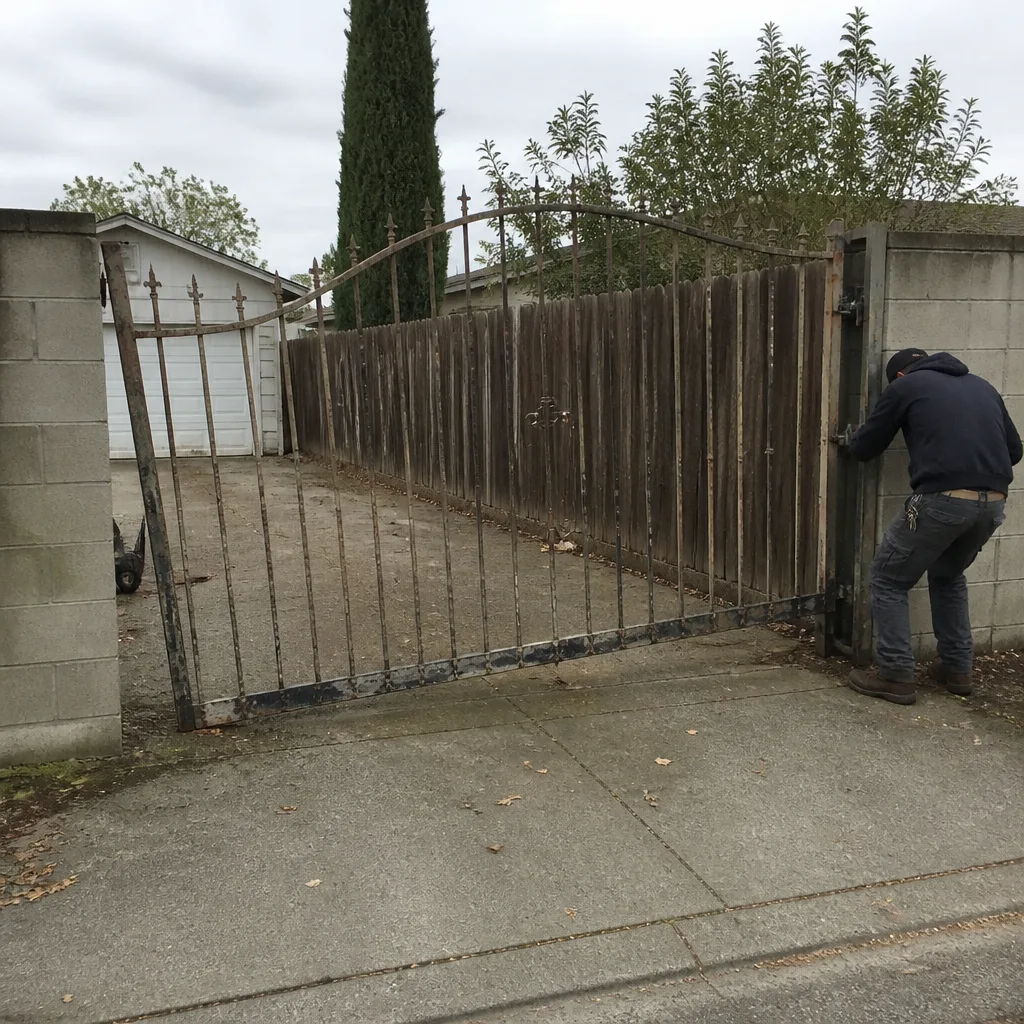 Before
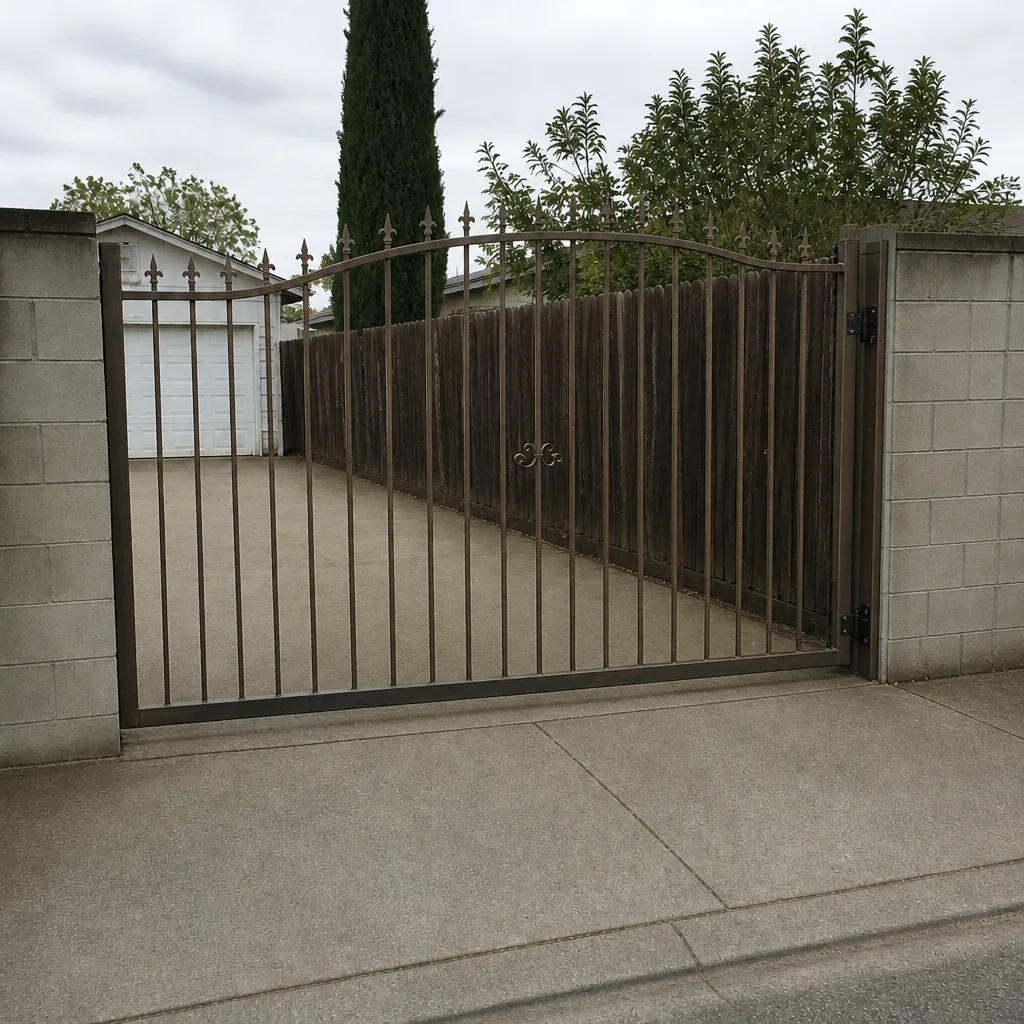 After
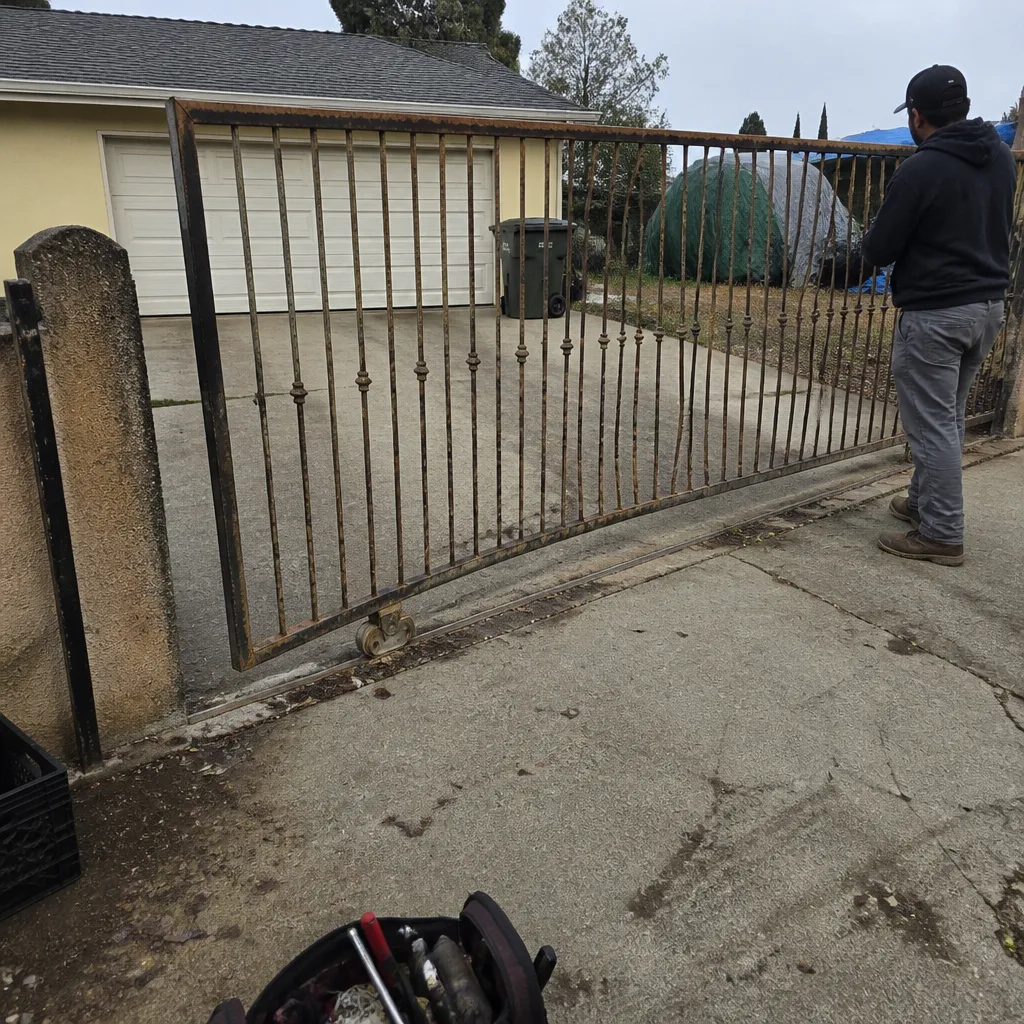 Before
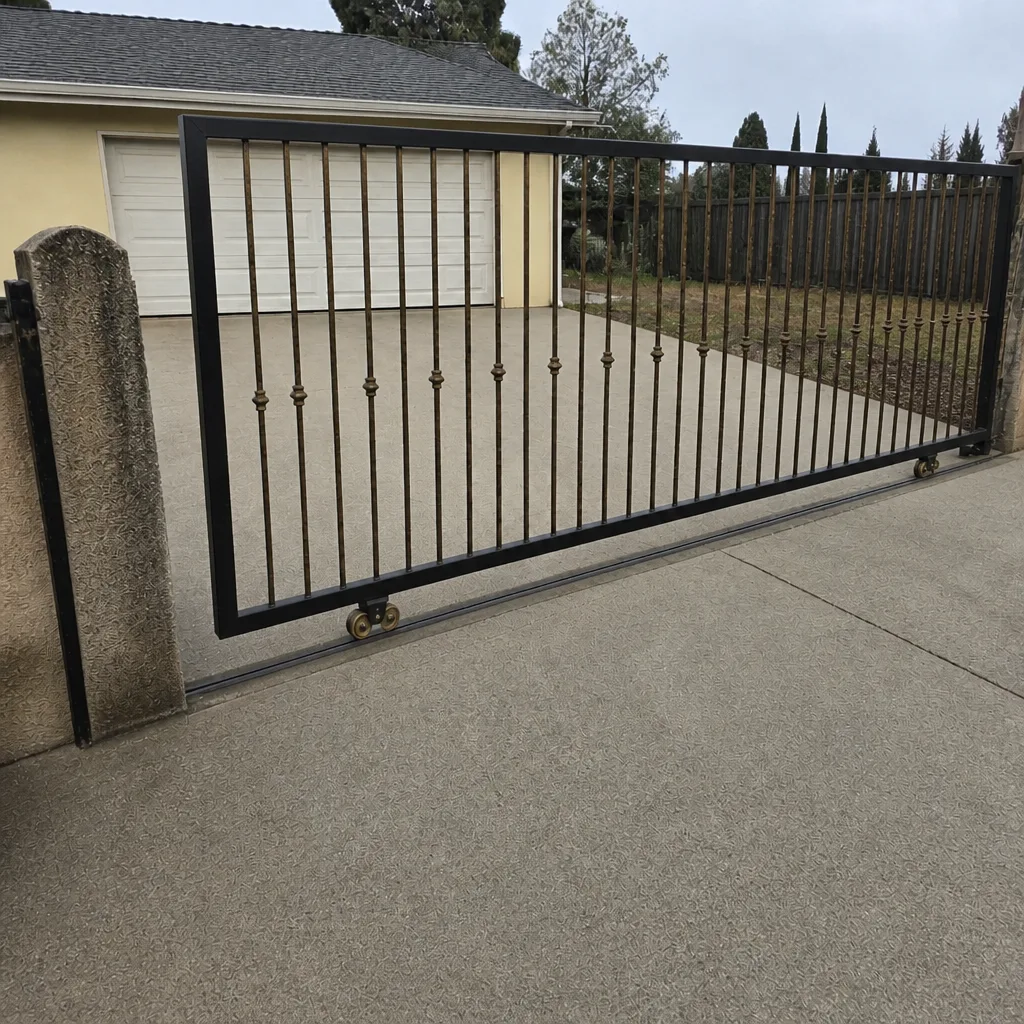 After
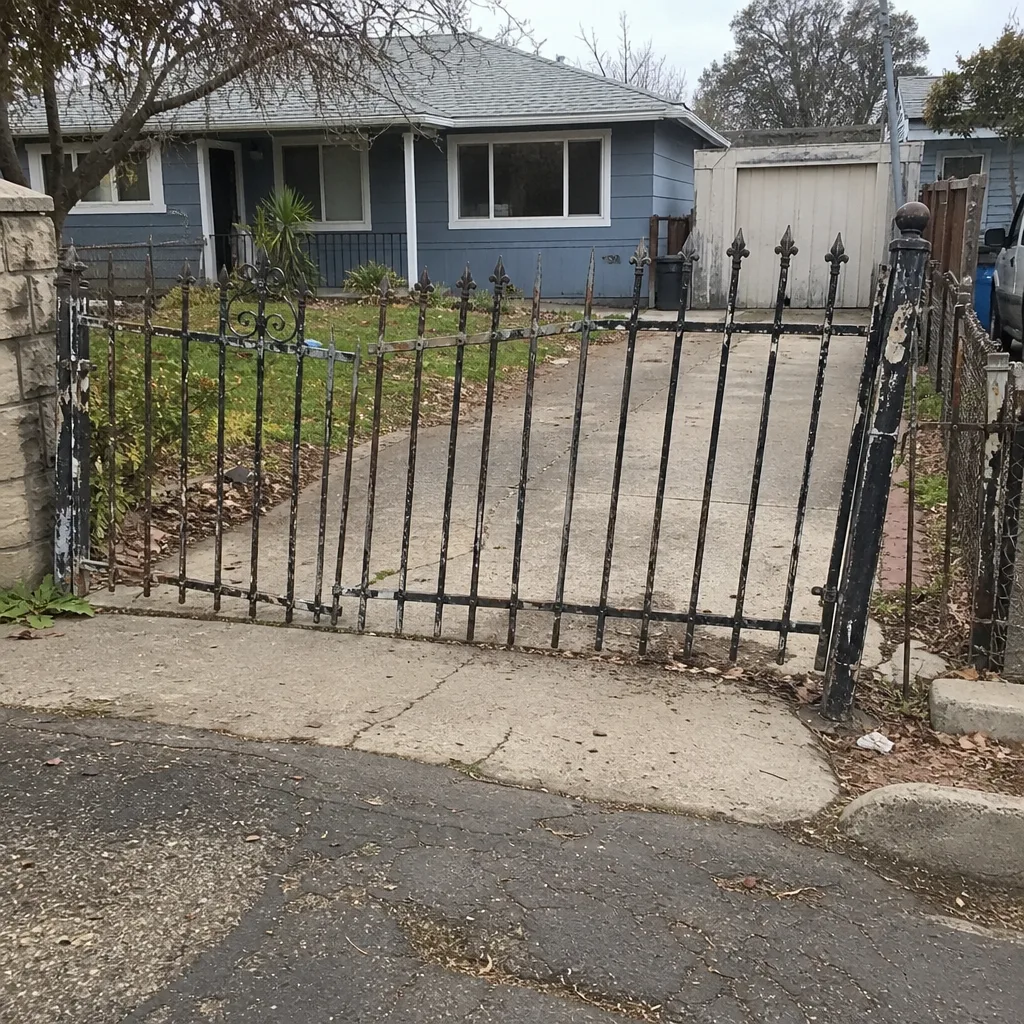 Before
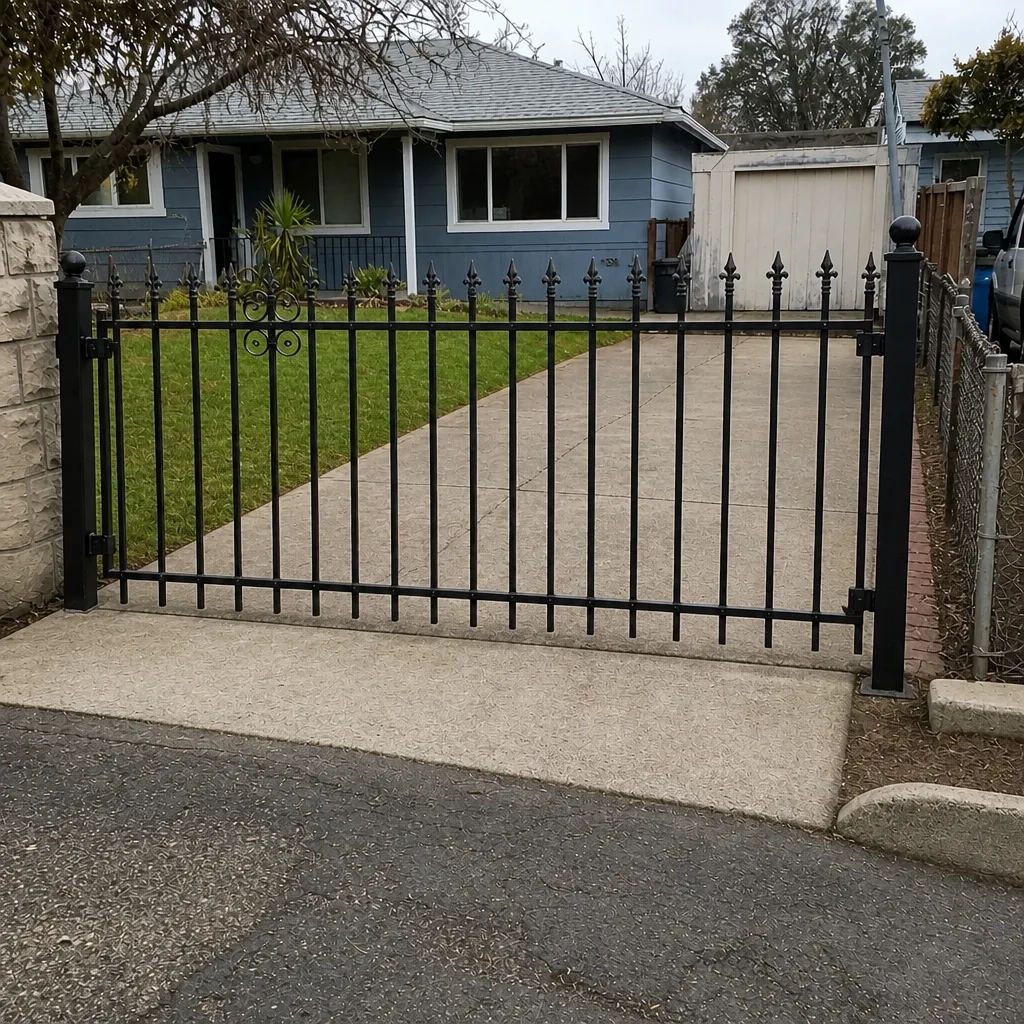 After
When to Call a Professional
Call a professional when the warning sign involves safety (reversal on contact, a broken beam, a dropped gate, sparks, or a tripping breaker), when the operator produces an error code you can’t clear, or when the same symptom keeps coming back after a reset. Also call when the gate is drawing current through a binding track, when the operator is loose, or when you’ve lost travel speed and hesitation that you can measure week over week. The three categories – mechanical, electrical, programming – each need the right skill set, and the wrong one makes the problem worse. Gate Repair Vacaville offers free estimates in Vacaville – call (888) 772-3933. We answer 24/7, with fast dispatch from 7am to 7pm, Sunday through Friday.
Frequently Asked Questions
The most common warning signs in Vacaville are hesitation before the gate moves, grinding or squealing, unexplained reversing, slow travel, and one remote working while another doesn’t. Hesitation and grinding point to mechanical wear; reversing and remote problems point to electrical or safety-circuit faults. Any of them is worth a diagnostic call before the gate stops completely. Call (888) 772-3933 for an exact quote – estimates are free.
A hesitation itself isn’t an immediate danger, but it is a warning sign that the operator is drawing extra current to overcome friction. That extra current wears the motor and the control board with every cycle, and the pattern has a predictable endpoint: total failure. It should be scheduled soon, not watched indefinitely. Call (888) 772-3933 to book a free estimate.
Write down the exact code as displayed, the state of the gate when it appeared, and whether it clears when you cycle the breaker. Codes generally split into obstruction/safety, limit, motor-current, power, and access categories, and each points to a different component. Bring the code and the brand to the call so the technician arrives with a working hypothesis. Call (888) 772-3933 for a free estimate.
We repair your existing operator in the vast majority of cases. Our approach is repair first: the operator on the post is the one we work with, whether it’s a LiftMaster, FAAC, BFT, Linear, Viking, Ghost Controls, DoorKing, Elite, or Mighty Mule system. Replacement is a last resort when the platform is beyond service, not a default. Call (888) 772-3933 for a free estimate.
Vacaville summer heat pushes operator cabinets into thermal stress, and a component that’s marginal will fault on the hottest runs and clear when the unit cools. Motor current rises with temperature, backup batteries age faster, and metal tracks expand and can begin to bind. A gate that fails reliably in the afternoon is telling you the operator is running hot. Call (888) 772-3933 to schedule an estimate.
Have the operator brand and model, the exact error code, a plain-language description of the behavior, a ten-second video of the cycle, and a note of what changed recently. That documentation lets the technician diagnose before arriving and often shortens the visit to a single trip. Call (888) 772-3933 for a free estimate and we’ll walk through it with you.
The Bottom Line
Gates don’t fail suddenly. They telegraph failure through hesitation, grinding, slow travel, reversing, error codes, and heat-related faults, and each symptom points to a specific component in the mechanical, electrical, or programming category. The homeowner’s job is to observe, document, and call before a small repair becomes a total failure. The professional’s job is to diagnose the right category, repair the actual fault, and keep the existing operator working rather than push a replacement. If you’re watching a warning sign in Vacaville and aren’t sure which bucket it belongs to, that’s exactly the moment to call.
If your gate is showing any of the warning signs above, don’t wait for the failure. Gate Repair Vacaville works on your brand – LiftMaster, FAAC, BFT, Linear, and the full range from entry-level residential to commercial access control. Call (888) 772-3933 for a free estimate. We answer 24/7. Fast dispatch from 7am to 7pm, Sunday through Friday. Your price is quoted and agreed before any work starts, and the written estimate sets the final price. Our technicians have up to 10 years of experience, and the goal is simple: get you back up and running.
Written by the team at Gate Repair Vacaville.